
iOS File Transfer
Adding files via USB:
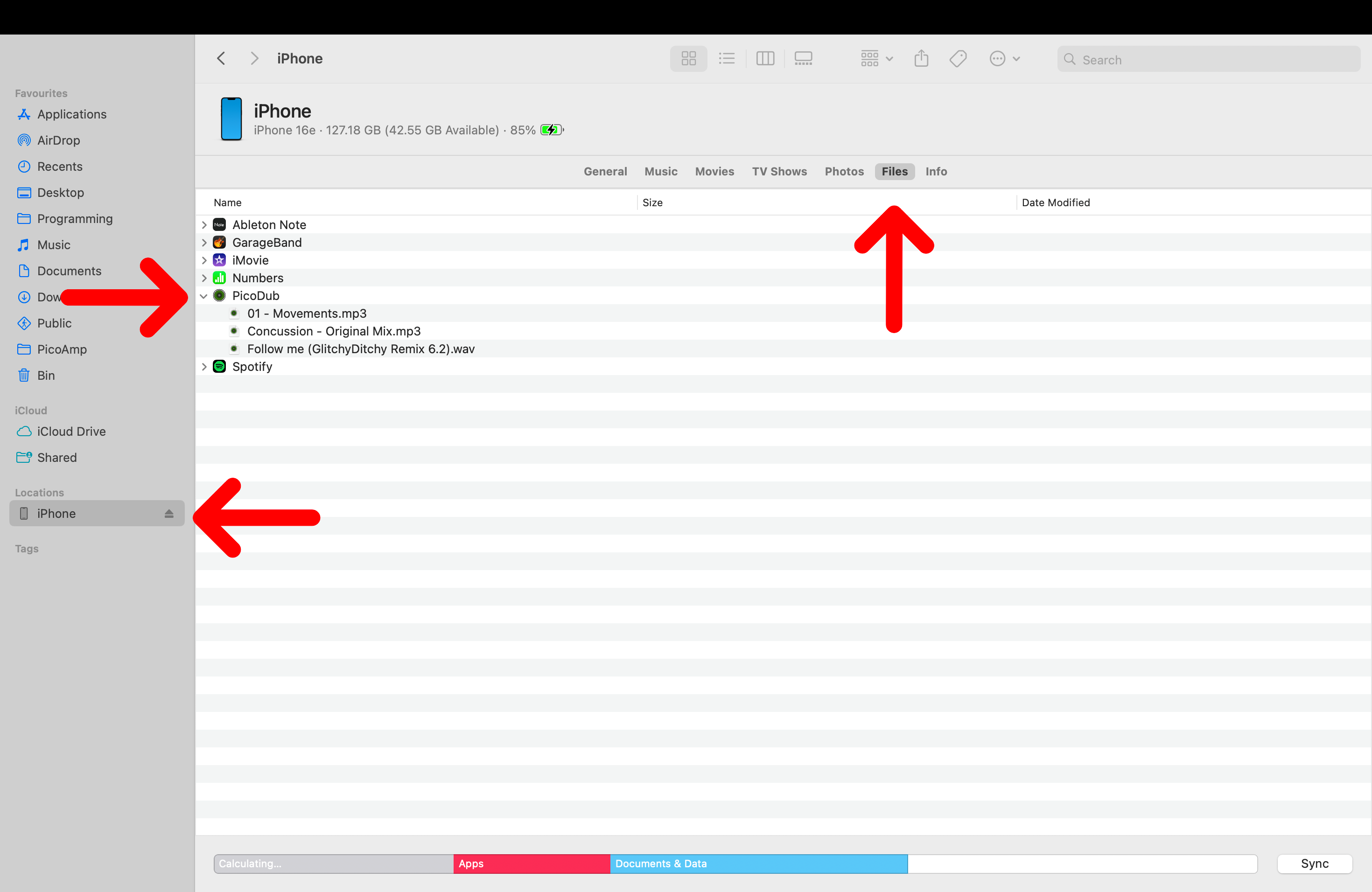
MacOS:
1. Connect iOS device via USB
2. Open Finder
3. Click your device in the left pane under 'Locations'
4. Click the 'Files' tab
5. Select the drop down list for PicoDub
6. Drag and drop your audio files to the list
Windows:
Note transferring files via USB on Windows requires Apple iTunes.
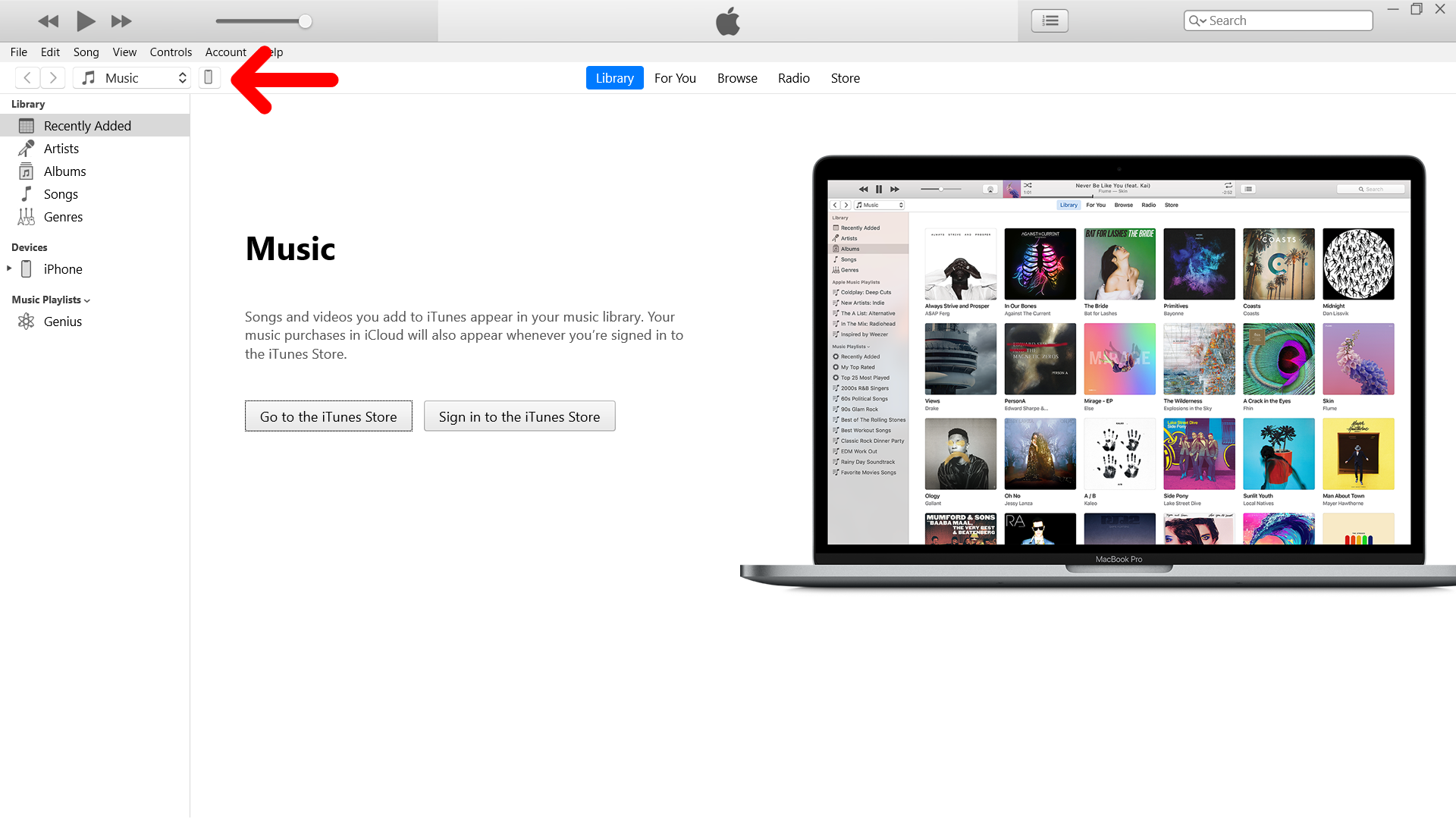
1. Open iTunes
2. Connect your iOS device via USB
3. Click the iOS device icon
4. Select 'File Sharing' then PicoDub from the list of apps
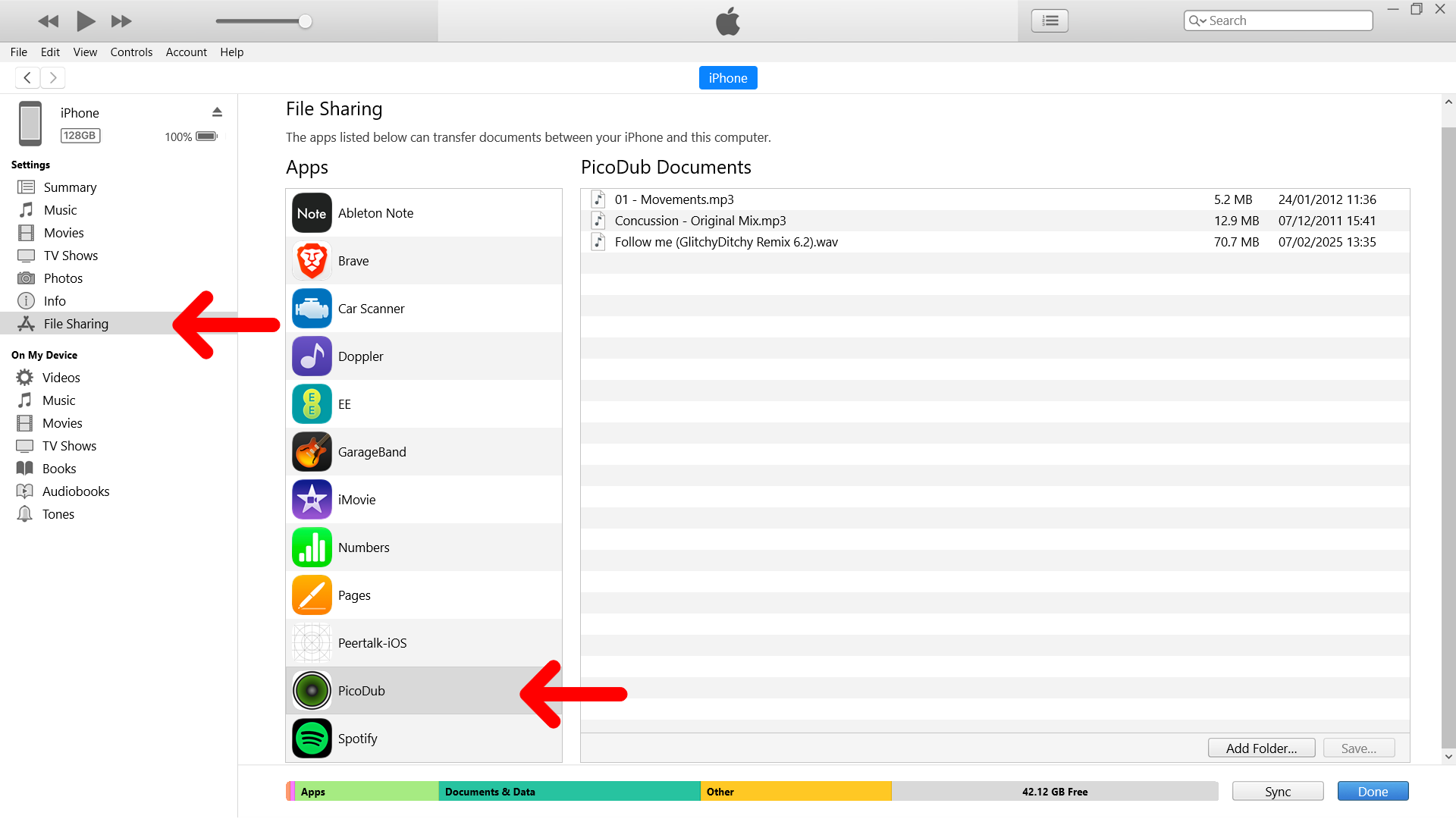
5. Add or drag and drop your audio files to the 'PicoDub Documents' section